

Best xTool P2/P2S Setup for Acrylic: Honeycomb Panel and Premium Sheets
Cutting acrylic on a bare bed is a gamble every laser owner eventually loses. Melted underside, warped edges, or a sheet that shifts mid-cut can ruin an otherwise clean design. Here’s why pairing the right honeycomb panel with premium acrylic sheets turns that gamble into a repeatable, professional-grade workflow.
- 21th June
- Callum Hartley
Why Acrylic Punishes a Bad Setup
Acrylic reacts badly to trapped heat. Cut it directly on a solid bed and reflected laser energy melts the underside, leaving a hazy, discolored edge instead of the clean glass-like finish acrylic is known for. That single setup mistake can ruin an otherwise perfectly designed piece in seconds.
A honeycomb structure solves this by letting heat and smoke escape through the cells underneath the material instead of bouncing back up. That airflow difference is the entire reason honeycomb beds exist, and it matters more with acrylic than almost any other material a laser owner regularly cuts.
Material movement is the other silent killer. A sheet that shifts even slightly mid-cut throws off registration on multi-pass jobs or batch production, turning a clean design file into a stack of mismatched pieces. A stable, gripping surface underneath the material prevents that drift before it starts.
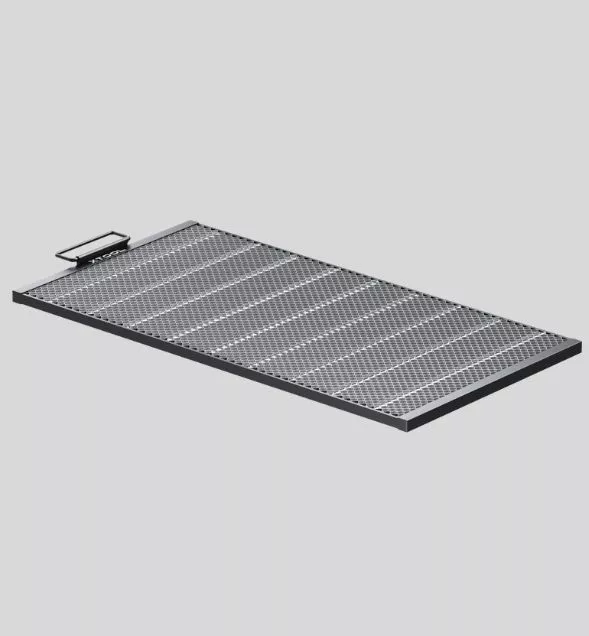
The xTool Honeycomb Panel 2.0 for P2/P2S Up Close
Built specifically to fit the P2 and P2S beds, this panel uses a thicker 5mm steel bar and 22mm honeycomb structure to support up to 5kg of material without sagging. Four magnetic material pins hold sheets in place, and anti-slip foot pads keep the panel itself from shifting during a cut.
Airflow and Why Cut Quality Actually Improves
Smoke and heat trapped under a cutting sheet don’t just smell bad, they redeposit as haze on the underside of clear acrylic, dulling what should be a crisp, glass-like edge. The open honeycomb cells give both smoke and heat somewhere to go instead of sitting directly against the material.
That airflow advantage compounds with an air-assist setup, which pushes debris away from the cut line in real time. Combined, the two systems keep the kerf clean pass after pass, which matters most on detailed acrylic work where a slightly hazy edge is immediately obvious under normal light.
Load Capacity and Why It Matters for Batches
A 5kg load capacity sounds like a spec sheet number until you’re stacking multiple acrylic sheets for a batch run of keychains, ornaments, or signage. That headroom means the panel isn’t the bottleneck when a shop scales from cutting one piece to cutting a full production tray.
The panel’s own weight, just over 2kg, and its reinforced steel bar frame keep it rigid under that load instead of flexing mid-cut. A panel that bows slightly under weight throws off focus distance across the bed, which is exactly the kind of inconsistency that ruins uniformity across a batch.

Workpiece Height and the Riser Base Trick
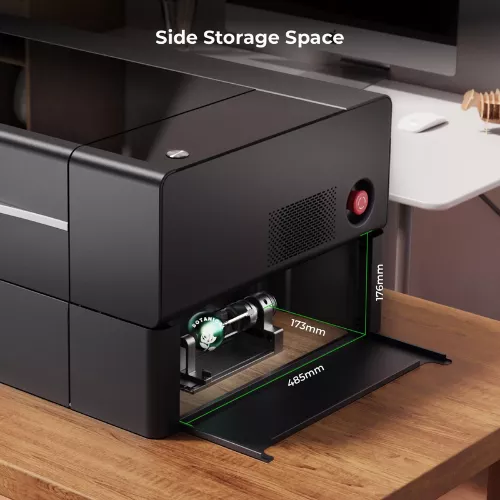
At 0.87 inches of clearance on its own, the panel accommodates thin sheet acrylic without issue, but that number undersells what’s actually possible. Adding the optional riser base extends usable workpiece height to 6.93 inches, opening the door to thicker acrylic blocks, layered pieces, or small dimensional objects.
That flexibility matters for anyone planning to grow beyond flat signage into things like acrylic photo blocks, layered light boxes, or trophy-style awards. Buying the panel alone covers most flat-cutting needs, but budgeting for the riser base upfront avoids a second purchase once a project demands more vertical room.
Pairing the Panel With the Right Acrylic Sheets
A honeycomb panel only solves half the problem. Cheap or inconsistent acrylic sheet stock can still warp under heat or cut unevenly regardless of what’s underneath it, so pairing the panel with properly rated glossy or two-tone acrylic sheets keeps results consistent from the first cut to the last.
Two-tone and opaque glossy sheets in particular show off clean edge quality well, since any melting or discoloration is immediately visible against the contrasting surface layer. That visibility makes them a useful stress-test material for dialing in power and speed settings before moving to client-facing production runs.
Setup Time and Everyday Usability
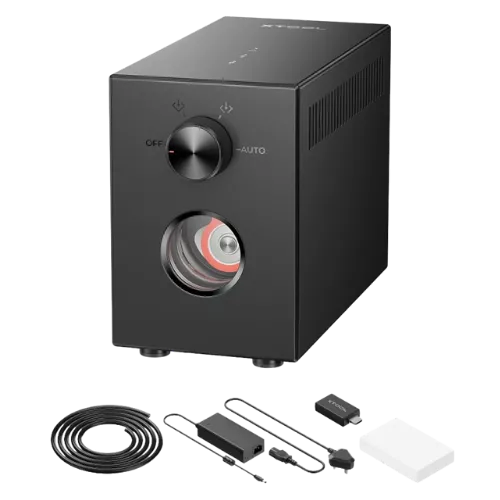
The panel ships with its material pins, a user manual, and a cleaning brush included, which covers the basics without requiring a separate accessories order just to get started. The magnetic pins snap material into position quickly, cutting down the setup time between individual jobs during a busy production day.
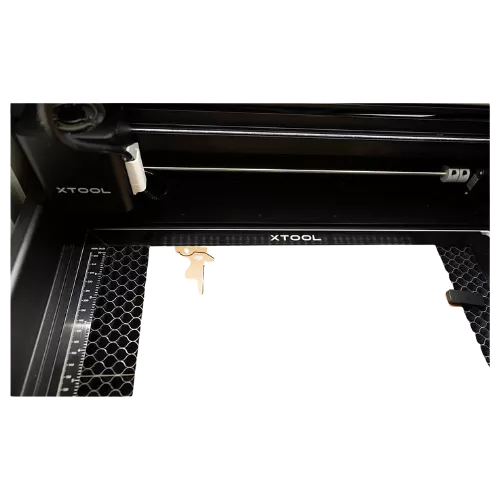
Anti-slip foot pads with 40mm spacing keep the whole panel seated firmly on the P2/P2S bed, which sounds minor until a panel shifts mid-batch and throws off alignment on every subsequent piece. That kind of small, unglamorous detail is usually what separates a smooth workflow from a frustrating one.
Final Verdict: The Better Acrylic Setup for P2/P2S
At $139, down from $154.99, the panel isn’t an impulse buy, but for anyone running acrylic regularly on a P2 or P2S, the load capacity, airflow design, and batch-friendly stability quickly justify the cost against the wasted material a bad bare-bed cut produces over time.
Pair it with quality acrylic sheet stock rather than the cheapest option available, and the combination stops being just an accessory purchase and starts functioning as an actual production setup, one built for consistent edges and repeatable results rather than one good cut followed by a lucky guess.
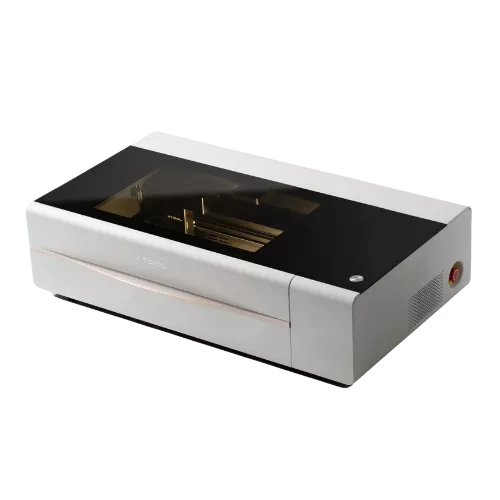
Between the reinforced steel frame and a fit built specifically around the P2 platform, xTool has designed this panel to solve the exact problem acrylic cutting creates on a bare bed. For anyone treating acrylic as a real product line rather than an occasional experiment, it’s a setup worth having.
